
How to track Scale the Depths achievements
Open the official Steam page and use the game's own achievement panel as the current list. Steam is the only place that can confirm the exact achievement name, icon, hidden status, and unlock percentage for your account. This guide adds the practical route around that panel so a 100% run does not become a random grind.
Start with the ending and the major collection lanes, then return to the Steam list after each milestone. Scale the Depths spreads completion work across deep-water access, fish, artifacts, boats, cosmetics, messages, customers, and save-state checks. Those systems overlap, but they are easier to manage when you keep separate notes instead of assuming one page or one final dialogue unlocks everything.
The page is deliberately conservative. The live game build can change achievement names or thresholds, and the public API was not available during this check. Use the checklist for preparation and verification, but never treat an invented name, percentage, or unlock condition as official.
Use Steam as the live achievement list
A reliable achievement run begins with a clean reference. Check the current Steam list first, then use the local guides below to prepare the underlying game state.
Open the achievement panel
In your Steam library, open Scale the Depths and view the achievement list before farming. Note hidden entries, partially completed percentages, and anything that names a region, customer, fish, or collection lane.
Mark the current save
Write down your current region, key fish gaps, artifact gaps, boat or cosmetic gaps, and whether the ending dialogue has fired. A short snapshot makes it easier to tell a delayed unlock from a missing prerequisite.
Finish one lane at a time
Choose a single lane, such as the ending or artifacts, and return to Steam after its final check. This prevents a rare fish run from being confused with an achievement that requires a different region or customer state.
Let synchronization settle
Play online when you are checking unlocks, wait for Steam to finish synchronizing, and reopen the list if an icon does not appear immediately. Do not delete a save or use an editor to force a flag before checking the current version.
A practical 100% completion route
Use these lanes as a planning map, not as a claim that every lane maps one-to-one to an achievement. The Steam panel remains the authority for the exact trigger.
| Lane | What to verify | Best local guide |
|---|---|---|
| Main ending | Point Nemo access, final customer sequence, completion dialogue, and a preserved postgame save. | Follow the ending guide before resetting or starting a new run. |
| Fish and customers | Missing species, favorite-fish requests, deeper-water supply, and a stable scaling and selling loop. | Use the fish and customers guides to turn gaps into short farming trips. |
| Artifacts | The four-region artifact slots and any notebook entry that still appears incomplete. | Run the artifact checklist after the route is open, then verify the Steam panel. |
| Boats and cosmetics | Blueprints, boat appearances, hats, outfits, palettes, and SOLD or owned states. | Keep collection notes separate so a cosmetic miss is not mistaken for a boat miss. |
| Messages and lore | Regional messages, notebook registration, and any hidden or story-linked entry. | Use the messages guide and confirm each title in the in-game notebook. |
| Save and version | Steam synchronization, current build, and a backup before risky troubleshooting. | Use the reset-save guide only after the achievement list and save state are recorded. |
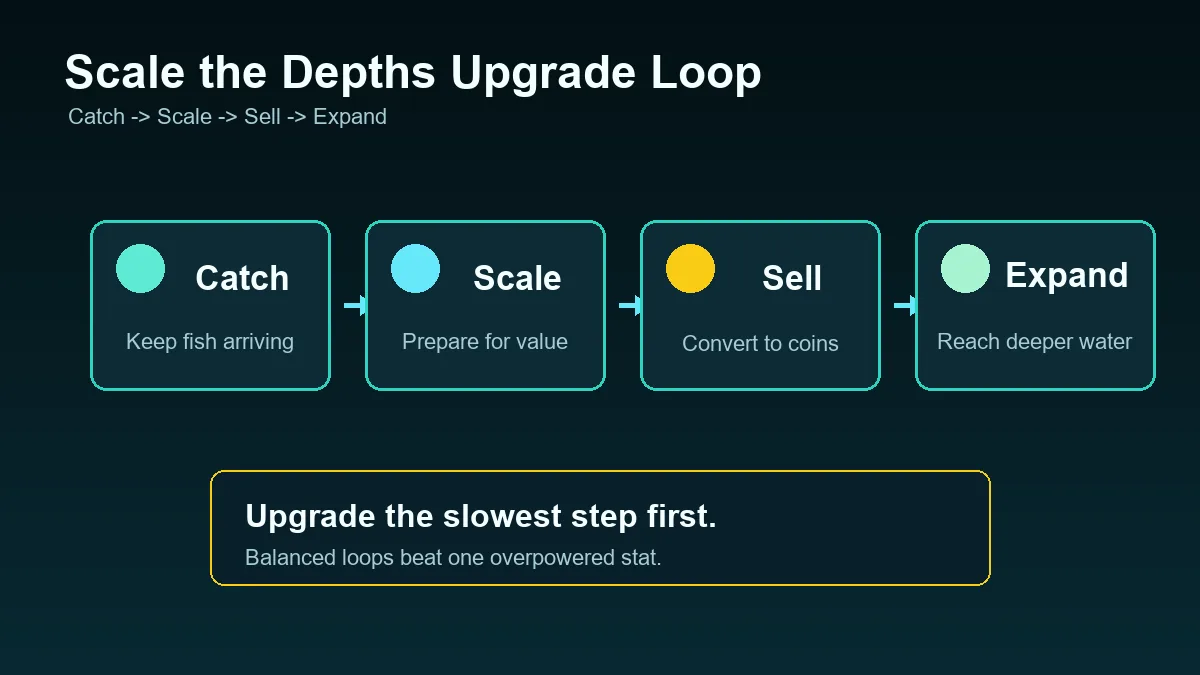
Scale the Depths achievements checklist
Copy this checklist into your notes and tick items only when the game and Steam list give you a clear confirmation.
- Record the exact Steam achievement names and hidden entries before changing the save.
- Reach the late-game route and confirm the Point Nemo ending sequence has completed rather than only unlocking the area.
- Review the fish list for missing species, then pair rare-fish trips with customer requests whenever the route allows it.
- Check every artifact region and compare the notebook with the focused artifact guide before repeating a whole map.
- Inspect boat blueprints and appearances separately from character cosmetics, palettes, and SOLD states.
- Read each regional message in the notebook so a found item is also registered as completed lore.
- Keep the completed save, play online for synchronization, and wait for the Steam overlay or list to refresh.
- After each lane, reopen the achievement list and write down what changed before moving to the next cleanup task.
When an achievement does not unlock
A missing icon does not always mean the run is broken. Some triggers are checked after a dialogue line, a save transition, or a Steam synchronization event. First repeat the smallest final action on the current build, then leave the area normally and reopen the achievement list.
Avoid random save editors, cracked builds, or unofficial files that promise to unlock everything. They can change the state you are trying to diagnose and make an official support answer harder to follow. Preserve the save, confirm the version, and use the relevant focused guide before taking a destructive step.
- If the ending entry is missing, confirm that the final customer dialogue finished and that Point Nemo was fully completed.
- If a collection entry is delayed, return to the notebook or customization screen, save normally, and let Steam synchronize.
- If the game was played offline, reconnect before judging the Steam percentage or unlock icon.
- If a patch changed a route, compare the current official store notes with older community instructions.
- If a save looks damaged, back it up first and use the reset-save guide only as a last resort.
- If the trigger still fails, record the exact step, build, platform, and visible evidence before asking the developer or community.
Version and source boundary
This page is a completion planning guide, not a copy of the Steam achievement database. Exact names, hidden flags, percentages, and thresholds belong to the live Steam listing and the current game build. The repository's official-source pages identify Steam as the PC route and keep collection facts separated by guide so outdated community notes are easier to spot.
Checked: October 9, 2026. Steam and the developer itch.io route were retained as official destinations; the public achievement API was unavailable, so no unverified achievement names or unlock numbers were added.
Scale the Depths achievements FAQ
Where is the official Scale the Depths achievement list?
Open Scale the Depths in your Steam library and use the Steam achievement panel. The official store route is linked at the top of this page, and the live panel should outrank copied community lists.
Does reaching the ending unlock every achievement?
No. The ending is one completion lane. Fish, artifacts, boats, cosmetics, messages, customers, and version or save checks can require separate work.
Are the achievement names on this page official?
This page intentionally avoids publishing unverified names. Use the live Steam list for exact labels, then use the checklist to organize the related game systems.
Why did Steam not show my unlock immediately?
Play online, let the final dialogue or collection screen finish, save normally, and wait for Steam synchronization. Reopen the list before repeating a large section of the game.
Can I use a save editor to unlock Scale the Depths achievements?
That is not a safe troubleshooting path. Preserve the save, verify the current version, and repeat the smallest trigger on an official build before considering support options.
What should I complete after the ending?
Keep the finished save and work through the fish, artifact, boat, cosmetic, message, and customer lanes. Check Steam after each lane instead of assuming the final dialogue covered everything.
Do browser saves unlock Steam achievements?
Treat the browser build and the Steam release as separate environments. Use the Steam version and its current achievement list when your goal is Steam completion.
Which guide should I use for a missing collection unlock?
Use the fish, artifacts, boats, cosmetics, messages, or ending guide that matches the missing lane, then return to the Steam panel for the final confirmation.
Official sources and related guides
Use the first-party store and developer pages for the current game version, then use the local guides for practical route notes. This site is an independent reference, not the developer's support page.
- Official Steam store — Current PC listing and the live achievement destination.
- Developer itch.io page — First-party browser and demo route; browser progress is separate from Steam completion.
- Ending guide — Point Nemo, final customer dialogue, and postgame checks.
- All collectibles guide — A separate completion hub for fish, artifacts, boats, and regional checks.