
The safest Scale the Depths download path
Version check completed August 13, 2026: the official PC release launched May 28, 2026, and the latest verified Steam announcement is v1.0.4 dated June 26, 2026. Recheck the Steam store and developer announcements before downloading because version numbers, pricing, and platform support can change.
For most PC players, the safest Scale the Depths download is the official Steam listing from Glass Gecko Games. It gives you a managed install, updates through your Steam library, and a cleaner path than downloading loose installers from unfamiliar mirror sites.
If you only want to try the loop quickly, you do not need a download at all. The browser build linked on this site lets you play Scale the Depths online first, then decide whether the full PC version is worth installing.
Other store pages can appear in search results, but verify each page by its source and purpose. A store or developer page is different from a third-party site promising a free crack, torrent, APK, or repackaged installer.
For Mac or cross-platform questions, check the current platform labels on the official store page before buying. Store support can change, while random download pages often keep outdated or copied platform claims.
Verified download snapshot — August 13, 2026
The official Steam record lists the PC release on May 28, 2026 and supports Windows and macOS. The newest verified Steam announcement checked for this refresh is the v1.0.4 update dated June 26, 2026; recheck the store before installing because platform and version details can change.
Use Steam for a managed PC install and the browser build for a quick test. This page does not provide a verified Android or APK file, and it does not turn torrent, crack, or mirror candidates into download recommendations.
Choose by task Full PC install: official Steam page. Quick test: browser build. Android/APK: no verified official file here, so do not sideload a random result.
Official and safer Scale the Depths options
These are the routes worth checking before trusting any random Scale the Depths download page.
Steam
The official Steam page is the primary PC download route for players who want library updates, a normal install flow, and the full release experience.
View Scale the Depths on SteamBrowser build
The embedded WebGL build is useful when you want to test the fishing and scaling loop without installing files on your computer.
Open the itch.io page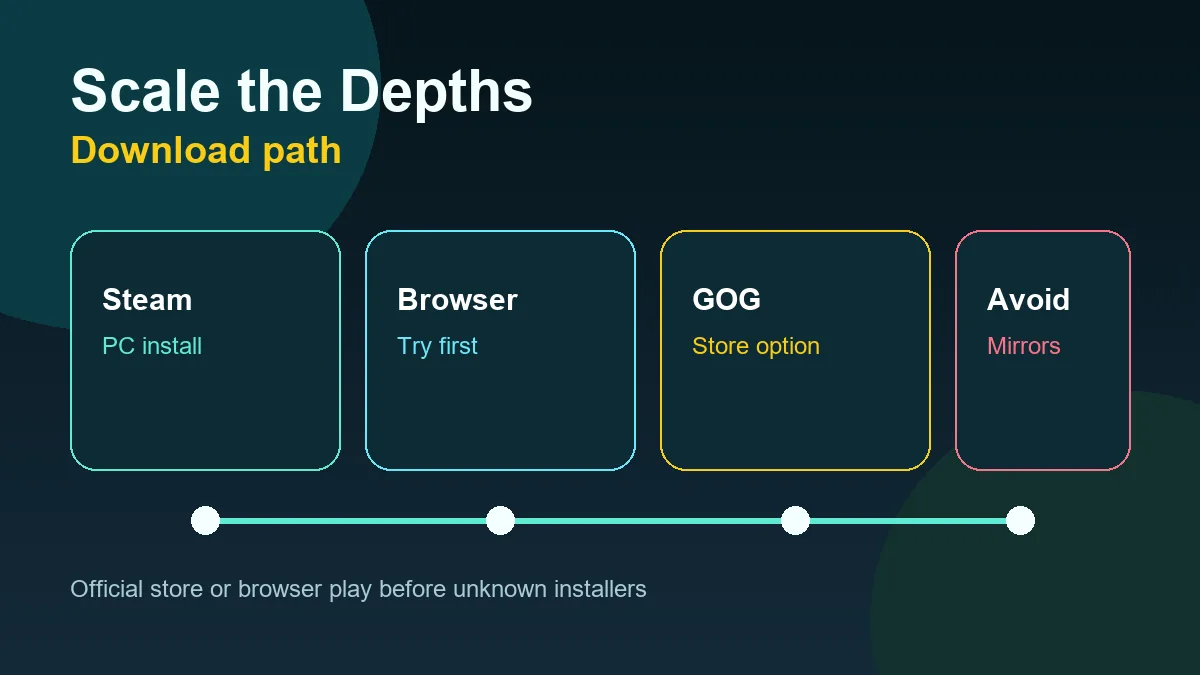
Which Scale the Depths version should you choose?
| Option | Best for | Notes |
|---|---|---|
| Steam PC version | Players ready to install the full game | Use this when you want updates, library management, and the most straightforward official PC route. |
| Browser / itch.io build | Trying the game before installing | No PC installer is needed, but browser saves may depend on local storage and iframe behavior. |
| APK or torrent pages | Usually not recommended | These results may be unofficial, stale, repackaged, or risky. Verify developer ownership before downloading anything. |
How to download Scale the Depths safely
Start from a known official page
Open the Steam page, the developer-linked itch.io page, or a reputable store listing directly. Avoid search ads or domains that copy the game name but do not identify the developer.
Check the publisher and platform details
Look for Glass Gecko Games, Steam, an official store, or the original itch.io creator context. A real store page should show normal platform information, update notes, and purchase or play controls.
Avoid installer bundles
A Scale the Depths download should not require unrelated download managers, browser extensions, survey walls, or password-protected archives from a random file host.
Use browser play when unsure
If you only want to sample the game, use the browser version first. It answers the main gameplay question without asking you to trust an unknown executable.
Download results to treat with caution
Search results for small indie games often mix official pages with mirrors, APK scrapers, and pages optimized around free download wording.
- Pages promising Scale the Depths torrent, crack, or full free PC downloads outside recognized stores.
- APK pages that do not explain whether the game has an official Android release.
- Mirror pages that hide the actual file behind multiple redirects, installers, or archives.
- Listings using the game name but pointing to unrelated software, generic launchers, or suspicious browser notifications.
- Pages claiming a guaranteed Mac, Android, or APK build without linking to a recognized store or developer source.
- Download pages that rank for misspellings such as scale the depth or scalethedepths but do not clearly identify the game publisher.
Is there a Scale the Depths Android or APK download?
Search tools show interest in phrases like Scale the Depths Android and Scale the Depths APK, but that does not automatically mean there is an official mobile build. Treat APK results as unverified unless the developer or a trusted store links to them.
For phones and tablets, the safer first step is trying the browser build if your device can run it. If a page asks you to sideload an APK without a clear official source, skip it and use Steam or browser play instead.
If a mobile page claims to offer Scale the Depths, verify whether it is a store listing, a developer announcement, or only an APK scraper using the game name for traffic. Do not sideload files just because the keyword matches.
Scale the Depths download FAQ
Can I play Scale the Depths without downloading it?
Yes. The browser build lets you play online first, which is useful before deciding whether to install the full PC version.
Is a Scale the Depths APK safe?
Only trust an APK if the developer or a reputable official store points to it. Random APK pages are not a safe default.
Is the browser version the same as the Steam version?
No. The browser build is best for instant testing, while Steam is the safer route for the full PC release and updates.
Can I download Scale the Depths for Mac?
Check the official store platform labels before purchase. If a third-party site promises a Mac file but no official store or developer source confirms it, avoid that download.
What is the latest verified Scale the Depths version?
The latest first-party update verified for this page is Steam v1.0.4, announced June 26, 2026. Always confirm the current version on Steam or the developer's official page before installing.